Even a small mistake in daily sales and stock management can cost you thousands. Our smart POS software, with real-time reports, automatic calculations, and stock control, protects you from such losses. Go digital now and secure your business. No more flipping through ledger pages or complex calculations. Our smart POS software delivers today's sales, total profit, and stock status in a single click, helping you save time, avoid errors, and grow your profits faster.
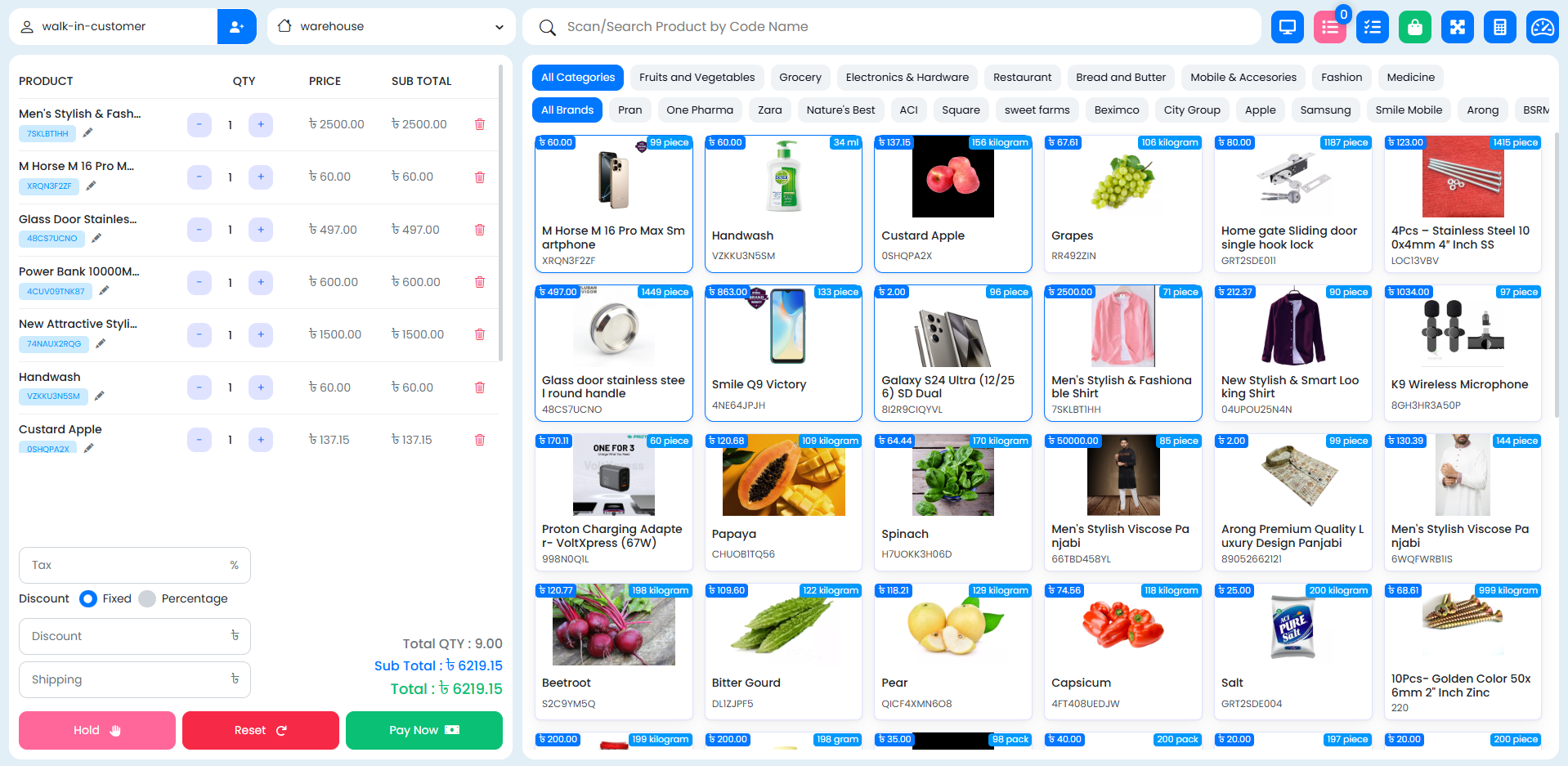
Boost your sales with our easy-to-use Cloud based POS Solution. Effortlessly check out customers with our state-of-the-art cloud based point of sale Software. Get paid faster, secure more credit card sales, and achieve a competitive edge. Boost sales and revenue with our powerful SaaS POS software.
Ignite explosive growth with POS's fully integrated customer loyalty program. Track, reward, and excite your customers with personalized promotions. Scale your business effortlessly by adding new locations and registers. Don't just dream big, make it happen. Unleash your potential and conquer the market with our innovative POS SaaS solutions.
Effortlessly Manage Your Inventory with Cloud-Based Precision. Our Industry-Leading Module Simplifies Cloud Inventory management Allowing You to Stay in Control and Optimize Stock Levels with Ease. Set Up Automatic Alerts, Print Labels, and barcodes seamlessly with our cutting-edge Cloud Based Point of Sale technology Maximize Your Profits, Minimize Your Worries.
With POS, get instant issue resolution and expert guidance, 24/7. We’re always here to keep your business running smoothly.
Step 1
Register Your Business
Sign up on POS by providing your business details. Set up your account with company information, preferred currency, and tax settings.
Step 2
Configure your store
Add multiple warehouses in POS. Add stocks and limits to each warehouse for efficient inventory tracking.
Step 3
Import Data
Easily import supplier and customer data into POS. Sync existing records or add new ones to streamline procurement and order management.
Step 4
Automate Inventory
Enable automatic stock updates, warehouse-based stocks, and smart inventory management features.
Frequently Asked Questions
Interested in learning more about POS, requesting a quote, or speaking with an expert? Let us know your needs, and we’ll get back to you soon.